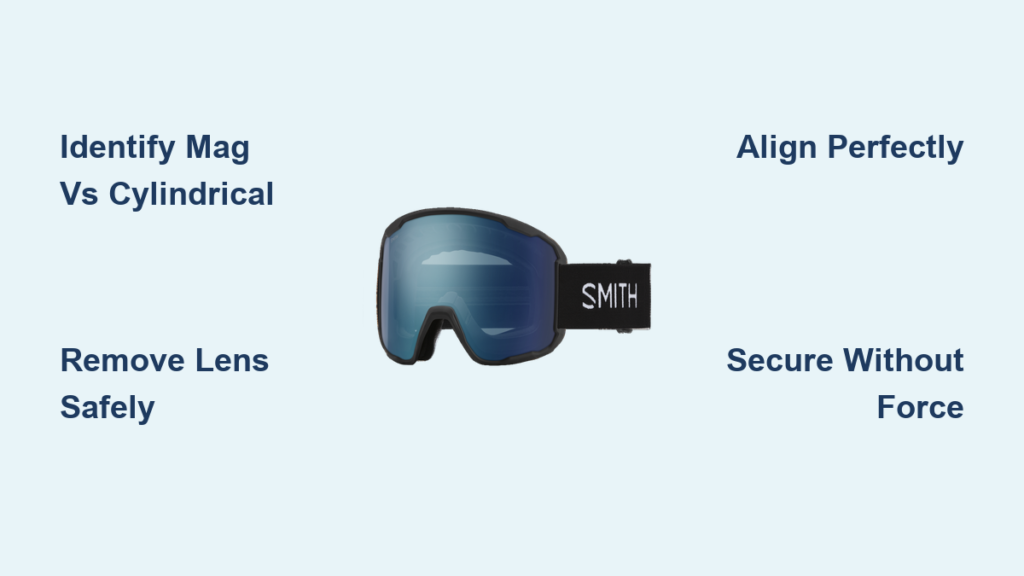
You’re halfway up the mountain when sudden whiteout conditions hit. Your sunny-day lenses leave you squinting blindly through flat light, but swapping to storm lenses means fumbling with tiny screws in freezing temperatures—right? Wrong. Modern Smith goggles ditch complicated tools for intuitive systems designed for how to change Smith goggle lenses trailside in under a minute. With Smith’s MAG and Cylindrical Lock technologies, you can adapt to changing conditions faster than the weather shifts. This guide reveals exactly how to swap lenses without scratching optics or dropping components—even with gloves on. You’ll master both major Smith systems, avoid costly mistakes, and select the perfect replacement for any condition.
Smith Goggle Lens Swap Essentials: Zero Tools Required
Forget screwdrivers or special kits—Smith engineered their goggles for tool-free lens changes anywhere. The only items you need are clean hands and a microfiber cloth. Always start by washing and drying your hands thoroughly; oils and dirt transfer instantly to lens surfaces, causing permanent haze. Lay your goggles on a clean, flat surface like a ski lodge table or snowboard tail—not your lap where wind or movement could send lenses flying. If you’re in sub-zero temperatures, warm your hands in pockets for 30 seconds first; cold fingers lack dexterity and make plastic components brittle. Crucially, inspect your replacement lens for debris before handling—it only takes one grain of sand to scratch the optical surface during installation.
Work deliberately in this sequence: remove old lens → clean frame channel → install new lens. Never force components—Smith’s systems click smoothly when properly aligned. Keep your microfiber cloth ready to grip lenses only by their extreme edges, avoiding contact with the optical zone. For trailside swaps, tuck the cloth into your jacket pocket to stay warm and dry. Remember: Smith’s MAG systems work flawlessly with gloves, while Cylindrical Lock models require brief glove removal. Practice at home first to build muscle memory for chairlift swaps.
Identify Your Smith Goggle Lens System: MAG vs. Cylindrical Lock
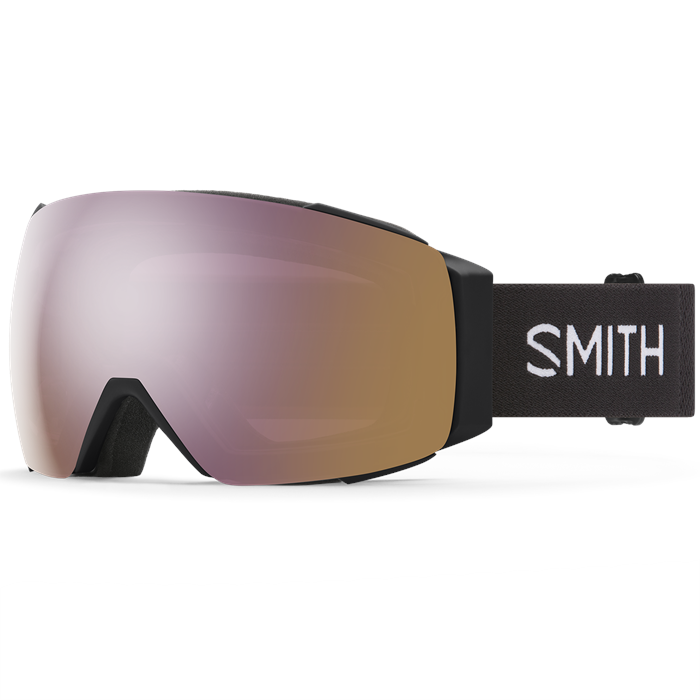
Your lens swap success hinges on recognizing Smith’s two distinct retention systems. Check the frame sides immediately: if you see small red or black release levers flanking the goggle, you own a MAG model (I/O MAG, 4D MAG, or I/O MAG 7). These use patented Magne-Band™ technology with four magnetic contact points creating a secure seal that releases with lever pressure. Without these levers, you likely have a Cylindrical Lock model (standard I/O or I/O S series) featuring a ridged plastic tab near the goggle’s bottom edge. This mechanical system uses a cylindrical bar that slides into frame channels—releasing it requires pinching the tab while flexing the frame.
Confirm compatibility before purchasing replacements. MAG system lenses (ChromaPop, Storm, or Photochromic) work across all MAG-series goggles but won’t fit Cylindrical Lock frames. Similarly, I/O series lenses only interchange within their specific generation (I/O 7 lenses won’t fit older I/O models). Always verify using Smith’s online compatibility chart—mismatched lenses cause gaps that invite fogging. When in doubt, check for model names stamped inside the strap: “4D MAG” indicates magnetic systems, while “I/O S” denotes Cylindrical Lock. This 10-second verification prevents costly mistakes.
Remove Smith Goggle Lenses in 3 Steps: MAG and Non-MAG Models
How to Release MAG System Lenses (I/O MAG and 4D MAG)
Grip your goggles firmly with both hands, thumbs resting on the colored release levers. Apply even inward pressure toward the lens until you hear a distinct double click—this disengages the magnetic seal. Never pull levers outward; that stresses the mechanism. Now pivot the lens upward from the bottom edge like opening a book cover. The lens should detach cleanly without resistance. If stuck, re-press the levers while gently wiggling the lens side-to-side—never force it. Immediately place the removed lens in its protective case; leaving it loose risks scratches from snow or gear. Key visual cue: successful release shows a 3mm gap between lens and frame at the bottom.
How to Release Cylindrical Lock Lenses (I/O and I/O S)
Locate the small ridged tab at the goggle’s bottom center. Pinch this tab between thumb and forefinger while simultaneously pressing downward. As the tab releases, flex the frame outward slightly with your other hand. Now lift the lens bottom edge away from the frame channel—this should require minimal force. If resistance occurs, check for debris in the channel; a stray hair or snowflake often jams the mechanism. Never use fingernails here—they scratch the frame’s soft plastic. Once released, pivot the lens upward from the bottom. Pro tip: On windy days, place one knee over your microfiber cloth to anchor it while working.
Install New Smith Lenses Without Scratching: 4 Critical Steps

Perfect Alignment for MAG System Lenses
Hold the new lens with microfiber, ensuring the printed “Smith” logo faces outward and reads correctly when viewing the lens straight-on. Start by aligning the lens top edge with the frame’s upper groove. Apply gentle downward pressure until you feel the first magnetic connection. Now pivot the lens down toward the frame bottom while maintaining even pressure—don’t snap it shut. Listen for the dual clicks confirming all four magnetic points engaged. Final check: run a finger along the lens-frame seam; it should feel completely flush with no gaps. If you hear only one click, realign and repeat—the second magnet often fails to seat if tilted.
Securing Cylindrical Lock Lenses Without Force
Begin by hooking the lens top edge into the frame’s upper channel. Hold this position while flexing the frame outward slightly with your thumbs. Guide the lens bottom edge into the channel, working from center to sides. Once seated, press the ridged locking tab upward until it clicks into place. Critical detail: the lens must sit perfectly level before engaging the tab—any tilt causes uneven pressure and fogging. Test security by gently pulling the lens bottom edge; it shouldn’t budge. If the tab won’t click, release and reseat the lens bottom edge completely. Forcing the tab risks breaking the plastic latch.
5 Trailside Lens Swap Hacks for Smith Goggles
Warm lenses first in cold weather: Cold plastic becomes brittle below 15°C (60°F). Hold lenses against your neck for 20 seconds before swapping—body heat prevents cracking during installation.
The “light test” for perfect seals: After installation, hold goggles toward a bright light. Any visible gaps between lens and frame indicate improper seating—reseat immediately to prevent moisture intrusion and fogging.
Store lenses in your base layer: Keep replacement lenses against your chest inside your jacket. Body heat maintains flexibility, and the microfiber bag won’t freeze to your skin like external pockets.
Pre-clean frame channels: Before installing new lenses, wipe the frame channel with your microfiber cloth. One overlooked speck of dirt causes lens misalignment and fogging—Smith’s tolerance is under 0.5mm.
Master the glove-compatible MAG swap: For I/O MAG models, press release levers with gloved index fingers while stabilizing the frame with your palm. This technique works even with thick ski gloves, eliminating exposure to cold.
Fix Loose or Stuck Smith Goggle Lenses: Quick Solutions
Why Your Smith Lens Won’t Snap In (And How to Fix It)
90% of “stuck lens” issues stem from debris in the frame channel. Remove the lens and inspect with a phone flashlight—use a microfiber corner to dislodge snow or fibers. If clean, verify lens orientation: ChromaPop Storm lenses have subtle curve differences from sunny-day versions. For MAG models, ensure magnets face the frame; reversed lenses won’t engage. Never force installation—Smith’s thermal lenses can crack under pressure. If problems persist, check for frame warping from heat exposure (like leaving goggles on a dashboard). Warped frames require professional service; don’t attempt DIY bending.
Stop Fogging Between Smith Lenses: Seal Check Protocol
Fogging between lens layers indicates a compromised seal from improper seating. Immediately remove the lens and check the silicone gasket for kinks—Smith’s gaskets must lie perfectly flat. Reinstall slowly, ensuring the bottom channel seats fully before engaging top locks. For MAG models, press firmly along the entire lens perimeter after clicking; weak spots often occur at the temples. Persistent fogging means the gasket is damaged—contact Smith support for replacement. Never use compressed air to clear fog; moisture gets trapped between layers causing permanent haze.
Pick the Perfect Smith Replacement Lens for Today’s Conditions

Match lenses to conditions using Smith’s ChromaPop technology tiers. For blinding sun and bluebird days, choose ChromaPop Sun Green Mirror—it blocks 90% of visible light while enhancing terrain contrast. When flat light or storm clouds hit, switch to ChromaPop Storm Rose Flash, which amplifies subtle shadows in whiteout conditions through rose-tinted optics. For rapidly changing mountain weather, ChromaPop Photochromic lenses automatically adjust from light to dark in 60 seconds—ideal for spring skiing with shifting cloud cover. Avoid universal “all-condition” lenses; Smith’s condition-specific optics provide 23% better depth perception according to their lab tests. Always verify lens curvature matches your frame—4D MAG goggles require lenses with extended peripheral design.
Proper lens selection completes your how to change Smith goggle lenses mastery. After swapping, store old lenses in Smith’s hard-shell cases to prevent scratches. Remember: clean lenses with Smith-approved solutions only—alcohol-based cleaners degrade anti-fog coatings. With these techniques, you’ll spend less time fumbling and more time seeing every bump and turn. The next time conditions shift, you’ll swap lenses faster than others can unzip their goggles. Keep this guide bookmarked for your next mountain trip—you’ve earned the confidence of a true lens-swap pro.