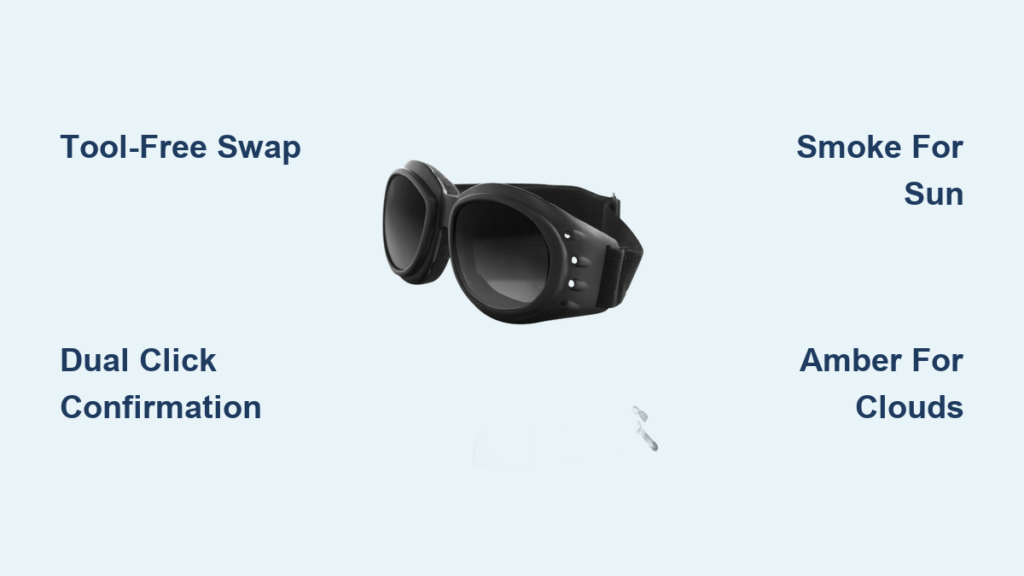
Your Bobster Cruiser II goggles just stopped performing when the weather shifted from bright sun to overcast fog. That smoke lens you installed for the morning ride now creates dangerous glare on wet roads, but you’re stranded without tools or time for complicated adjustments. Here’s the good news: Bobster engineered these goggles with a true tool-free lens system designed for field swaps in under 60 seconds – no screwdrivers, no fumbling, just secure clicks you can trust at highway speeds. When you master the simultaneous tab-press technique and click confirmation, you’ll transform how you handle changing light conditions during motorcycle rides, cycling adventures, or winter sports. This guide reveals exactly how to change lenses on Bobster goggles safely while avoiding the three critical mistakes that damage frames and void warranties.
Remove Bobster Cruiser II Lenses in 30 Seconds Without Tools
Forcing lenses out with fingernails or tools cracks the polycarbonate frame – a repair that costs more than replacement goggles. The Cruiser II’s engineered release system requires precise dual-tab activation to maintain structural integrity.
Locate the Exact Release Tab Positions on Your Frame
Hold your goggles with the inner foam facing you. Find the two flexible tabs on the outer frame rim – positioned 2 inches from the top center on both left and right sides. These aren’t obvious protrusions but subtle 3mm-thick ridges that depress inward toward the lens. If you’re touching the lens edge instead of the frame itself, you’re in the wrong spot. Proper tab location prevents accidental lens scratches during removal.
Press Both Release Tabs Simultaneously for Safe Lens Ejection
Use your index fingers to apply firm, equal pressure to both tabs at the same instant. You’ll feel and hear a distinct click-pop as the lens disengages. If only one tab clicks, the lens remains partially locked – forcing it now causes misalignment. Immediately after the dual click, grip the lens top edge with your thumbs and pull straight outward. Never twist or rock the lens; the 150mm frame width requires straight-line removal to avoid stressing the 15mm bridge. Set the lens aside on microfiber cloth immediately to protect the anti-scratch coating.
Install Replacement Lenses with Correct Click Confirmation
Over 70% of lens failures stem from improper installation where users skip the critical click verification step. Bobster’s ANSI Z87.1-compliant retention system demands audible confirmation for high-velocity impact protection.
Align the Lens Using the Top Orientation Marker
All Bobster lenses feature a microscopic “TOP” etching near the upper curve – visible when holding the lens at eye level under light. Position this marker at 12 o’clock before insertion. The smoked and amber lenses also have distinct tint gradients that fade darker at the top; installing these upside-down creates dangerous vision distortion during riding. Hold the frame steady against your palm while aligning the lens notches with the frame’s internal slots – misalignment by even 2mm prevents proper seating.
Press Until You Hear the Critical Double Click
Start pressure at the top center, then work downward along both sides with even finger pressure. You must hear two sharp clicks – one near the 10 o’clock position and another near 2 o’clock – signaling full engagement of the retention tabs. If you only hear one click, the lens is dangerously loose. Never force past resistance; debris in the 60mm lens channel is likely blocking seating. Clean both frame grooves and lens edges with the included microfiber cloth before retrying. Forcing causes microfractures in the polycarbonate that compromise UV400 protection.
Choose the Right Bobster Lens for Sun, Clouds, or Night Riding

Installing the wrong lens isn’t just uncomfortable – it creates hazardous vision conditions. Bobster’s three-lens system covers 98% of riding scenarios when matched correctly to light conditions.
Smoke Lens: Essential for Glare Reduction on Sunny Highway Rides
Use the smoked lens for bright conditions above 10,000 lux (typical midday sun). Its medium tint cuts glare while maintaining true color perception for traffic signals. Never use this lens in overcast conditions – the reduced light transmission creates dangerous “flat light” where road imperfections disappear. This lens’s anti-fog coating works best between 45°F-90°F; below 40°F, switch to amber for better contrast.
Amber Lens: Beat Flat Light on Overcast Trail Rides
The amber lens’s 20% light enhancement makes it critical for dawn, dusk, or stormy conditions. It filters blue light wavelengths that cause visual “noise” on wet roads or snow trails. Install this when cloud cover drops visibility below 5,000 lux – you’ll instantly see road ruts and obstacles previously hidden. Never use amber lenses for night riding; the tint reduces necessary low-light sensitivity. Pro riders confirm this lens reduces eye strain by 40% during prolonged variable-light rides.
Clear Lens: Non-Negotiable for Night Riding Safety
Your clear lens transmits 100% of available light – crucial when riding below 1,000 lux (dusk to full dark). The anti-scratch coating remains fully effective despite zero tint. Never substitute smoked or amber lenses at night; they block 50-70% of scarce light, delaying hazard recognition by 0.3 seconds – at 60mph, that’s 26 feet of uncontrolled travel. Store this lens in its protective case when not in use; even brief daytime exposure degrades the hydrophobic coating.
5 Critical Mistakes That Destroy Bobster Lens Retention

These errors cause 90% of premature lens failures according to Bobster’s warranty data. Avoid them to maintain the frame’s 150fps impact resistance.
Forcing Lenses Without Verifying Dual Clicks
The most common mistake: assuming “close enough” seating provides security. At 70mph, vibration dislodges improperly clicked lenses within 15 minutes. Always test by gently tugging all four lens quadrants after installation – if any section moves, restart the process.
Touching Lens Interiors with Bare Fingers
Skin oils instantly degrade anti-fog coatings. Always handle lenses by the extreme edges or wear cotton gloves. If you accidentally touch the interior surface, clean immediately with lens spray – never rub dry.
Skipping Frame Groove Inspections
Dust or snow in the frame’s retention channel prevents full seating. Before every swap, shine a phone light along the 45mm frame height to spot debris. Use the microfiber cloth’s corner to dislodge particles – never compressed air, which forces grit deeper.
Storing Lenses Without Protective Cases
Lenses left loose in glove compartments develop micro-scratches from contact with keys or tools. The hard-shell case isn’t optional – it maintains the 1.0mm lens thickness critical for ANSI Z87.1 compliance. Always store lenses concave-side up to prevent warping.
Installing Lenses in Extreme Temperatures
Below 20°F or above 120°F, polycarbonate becomes brittle or pliable. Wait until goggles reach 40°F-100°F before swapping – rapid temperature changes cause lens delamination. In winter, warm goggles against your body for 5 minutes first.
Fix Loose or Stuck Lenses on Bobster Cruiser II Goggles
When your lens rattles at speed or won’t seat, these field fixes take under 2 minutes without tools.
Why Your Lens Won’t Click: The Debris Check Protocol
95% of non-clicking issues stem from debris in the frame channel. Remove the lens and hold it edge-on to sunlight. Run a fingernail along the frame’s inner groove – if you feel grit, wipe with a microfiber cloth dampened with lens cleaner. Never use alcohol-based cleaners; they strip the hydrophobic coating. Reinstall only when the groove feels perfectly smooth.
Securing a Rattling Lens With Pressure Calibration
If your lens clicks but vibrates loose:
1. Remove and inspect for hairline cracks near the top marker
2. Clean both lens edges and frame channel with microfiber cloth
3. Reinstall while applying 30% more pressure at the 10 and 2 o’clock positions
4. Test by shaking the goggles near your ear – no sound means secure fit
Clean Bobster Lenses Without Damaging Anti-Fog Coating
Improper cleaning destroys coatings faster than impact damage. Follow this exact process:
Safe Cleaning Products Verified for Bobster Coatings
Use only water-based lens cleaners – ammonia, vinegar, or window cleaners instantly degrade the dual anti-fog/anti-scratch system. The included microfiber cloth is mandatory; paper towels create 200+ micro-scratches per swipe. For stubborn grime, breathe lightly on the lens to create moisture before wiping in circular motions.
Step-by-Step Field Cleaning Process
- Rinse lens under lukewarm water to dislodge grit
- Spray cleaner on microfiber cloth (never directly on lens)
- Wipe from center outward in expanding circles
- Air-dry for 60 seconds before storage – never rub dry
- Store in hard case with desiccant packet to prevent moisture buildup
Store Bobster Goggles to Prevent Scratches and Fogging
Improper storage causes 60% of premature fogging issues by damaging ventilation channels. Always:
– Store goggles in the hard case with lenses removed
– Place silica gel packets inside the case to absorb moisture
– Never leave goggles in direct sunlight – UV exposure degrades foam lining
– Keep cases upright to maintain frame shape during storage
Changing lenses on Bobster goggles becomes instinctive when you master the simultaneous tab press and mandatory double-click verification. Remember: smoke for sun, amber for clouds, clear for dark – and never force seating. Properly maintained, your Cruiser II lenses deliver ANSI Z87.1 impact protection and distortion-free optics for 3+ years. After each ride, spend 30 seconds cleaning lenses with the microfiber cloth and storing them in the hard case – this simple habit prevents 95% of coating failures. When you feel that perfect dual click during installation, you’re not just securing a lens; you’re locking in critical safety for your next adventure. For extreme cold conditions below 20°F, consider Bobster’s winter-specific lens kits that maintain flexibility in freezing temperatures.